
Time tracking software
Time tracking software — online, with PDF and Excel reports
Record hours, overtime, and absences in one system instead of spreadsheets. Employees log their time and you get a monthly calendar, team overview, and report exports. Start free — after the 30-day trial, time tracking stays free for up to 5 accounts.
What breaks time tracking in Excel?
- Entries scattered across files, paper, and chat — no consistent monthly report.
- No quick view of overtime and missing hours across the team.
- Manual merging of spreadsheets before payroll — slow and error-prone.
What Planopia’s time tracking software does
Planopia keeps time records in one place — with a monthly calendar, reports, and exports for the office or client.
- Daily entries — hours, overtime, absences, and notes in a monthly calendar.
- Team overview for Admin, HR, and supervisors — no manual file merging.
- Employees without app access — a foreman or HR can keep records for the crew (great for field work and construction).
- Export reports to PDF and Excel (XLSX) — ready monthly summaries.
- Runs in the browser and on phones as a PWA — convenient entries from anywhere.
- Optional time clock and QR codes (paid module) — clock-in/clock-out tracking.
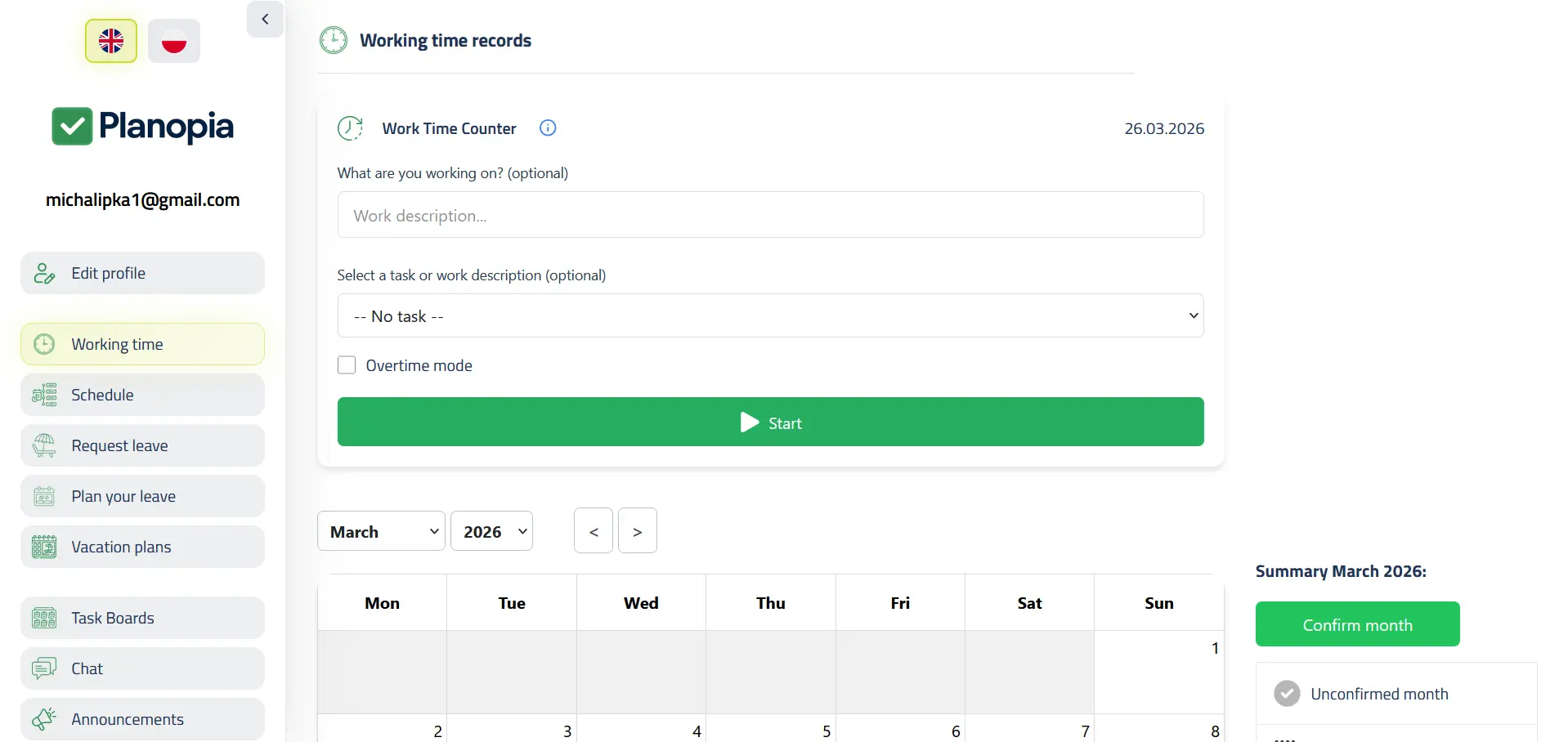
Time tracking in Planopia — in-app screenshots
Tap a thumbnail to enlarge.
Get started in 3 steps
- Create your free team (30-day full trial, up to 5 users).
- Add employees — with an account or without app access.
- Turn on time tracking and export PDF/Excel reports.
How much does time tracking cost?
Time tracking is available on the free tier — the cheapest way to start:
- 30 days of the full app free (up to 5 users), no card required to start.
- After the trial: free time tracking and timesheet printouts for up to 5 active accounts — at no cost.
- Leave, team reports, the AI Assistant or a bigger team: Core plan from 69 PLN net/month (up to 5 users; 119 up to 15), or a PRO/Business package.
The time clock and QR codes are the “Timer and QR” module (39 PLN net/month on Core) or part of a PRO/Business package. Manual time tracking, the calendar, and each person’s timesheet printout (PDF/XLSX) also work on the free tier. Annual billing: pay for 10 months instead of 12.
FAQ
Is the time tracking software free?
Yes — after the 30-day full-app trial you can stay on a free tier with time tracking for up to 5 active accounts. Manual entries, the monthly calendar, and each person’s timesheet printout (PDF/Excel) are included on the free tier.
Does every employee need an account?
No. An Admin, HR, or foreman can add employees without app access and keep their records — handy for field work and construction.
Can I export records to Excel or PDF?
Yes — each person’s monthly timesheet exports to PDF and Excel (XLSX), also on the free tier, for payroll or to share with a client. Whole-team reports come with the Core plan.
Is there a time clock and QR codes?
Yes — a time clock and QR clock-in/clock-out are the “Timer and QR” module on Core (39 PLN net/month) or part of PRO/Business packages. The free tier includes manual time tracking.
Does it work on phones?
Yes. Planopia runs in the browser as a PWA — add it to your home screen and log hours from anywhere.
Start tracking time without Excel
30 days of the full app, then free time tracking for up to 5 accounts, or the Core plan with leave and the AI Assistant from 69 PLN net/month.
Create your free team