
Work schedule software
Work schedule software — build team rosters online
Plan shift rosters for the whole team in one place, with leave, public holidays, and minimum staffing already taken into account. Planopia can fill the schedule automatically, so you only adjust what needs a decision.
What makes work scheduling painful
- A spreadsheet roster is rebuilt from scratch every month, and you still track leave and holidays yourself.
- Changes travel through chat messages, so part of the team works from an outdated version.
- It is hard to tell at a glance whether every shift has enough people on it.
What Planopia’s scheduling software does
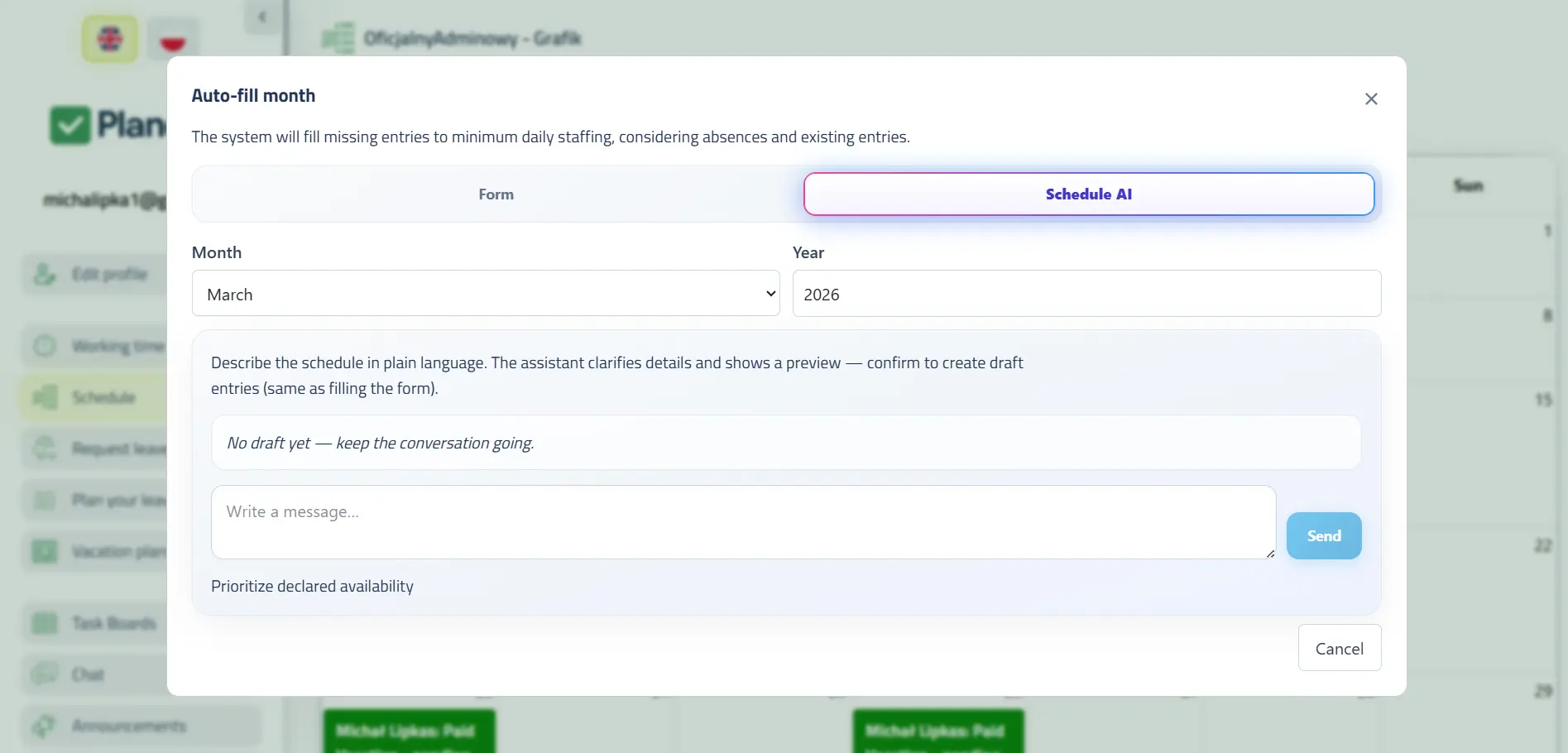
Planopia builds the roster from what it already knows about your team — who is on leave, which days are off, and how many people each shift needs.
- Automatic roster fill — skips weekends, public holidays, and anyone with approved leave.
- Shifts with hours and minimum staffing — defined separately, and per weekday if needed.
- Draft and published versions — the team only sees an approved roster, never a draft.
- One view of the whole team instead of merging files.
- Leave requests and rosters in one system — approved leave frees the person automatically.
- Works in the browser and on phones as a PWA — the team checks the roster anywhere.
Scheduling in Planopia — app screenshots
Tap a thumbnail to enlarge.
How to start — 3 steps
- Create your free team (30 days of the full app, up to 5 users).
- Define your shifts — hours and the minimum number of people on each.
- Generate the roster, fix the exceptions, and publish it to the team.
How much does scheduling software cost?
Scheduling is a paid module — the free tier after the trial covers time tracking only:
- 30 days of the full app free (up to 5 users), scheduling included, no card required to start.
- After the trial: the “Schedules” module (with AI building the schedule) on a Core plan for 59 PLN net/month — from 128 PLN in total (Core for up to 5 users 69 PLN + the module).
- Or a PRO (from 189 PLN, up to 15 users) or Business (479 PLN, up to 100 users) package, where scheduling is included.
Scheduling is not part of the free tier, which covers time tracking for up to 5 active accounts. Annual billing: you pay for 10 months instead of 12.
Frequently asked questions
Can the software build the schedule for me?
Yes. Planopia fills the roster automatically from the shifts you define, skipping weekends, public holidays, and anyone with approved leave that day. The result is a starting point — you can adjust any entry before publishing.
Does the schedule account for employee leave?
Yes. Leave requests and rosters live in the same system, so someone with approved leave is never rostered onto a shift. There is no separate file to keep in sync.
Do employees see the schedule as soon as it is created?
No. A roster has a draft and a published version, and the team only sees the published one. Nobody plans around a draft that is still going to change.
Can I set different shifts for different weekdays?
Yes. Each shift is described by its start and end time, the minimum number of people, and the weekdays it applies to.
Is scheduling available on the free tier?
No. After the 30-day trial, scheduling requires the “Schedules” module on a Core plan (59 PLN net/month) or a PRO or Business package. The free tier keeps time tracking for up to 5 active accounts.
Build the roster without spreadsheets and phone calls
30 days of the full app with scheduling, then the “Schedules” module on Core (59 PLN net/month) or a PRO/Business package.
Create your free team — 30 days free