
Why people search for an “annual leave plan” in Excel or PDF
Queries like “annual leave calendar excel” reflect a need to organise balances and dates without a full HR suite on day one. Spreadsheets and PDFs are cheap to start but won’t run approvals or reminders — which is where a leave system in software helps.
A minimal leave plan in a spreadsheet
At minimum: employees, entitled days, and planned dates. You can share XLSX or print PDF — but agree how you update the master file when someone changes dates.
| Employee / team | Balance / planned days | Status (e.g. approved) |
|---|---|---|
| … | … | … |
Limits of Excel and static PDF
Multi-editor Excel often ends in conflicting file versions; a exported PDF does not update itself. You also miss a real request/approval trail — that is where an online leave app saves the most time.
Leave request software — what it should do
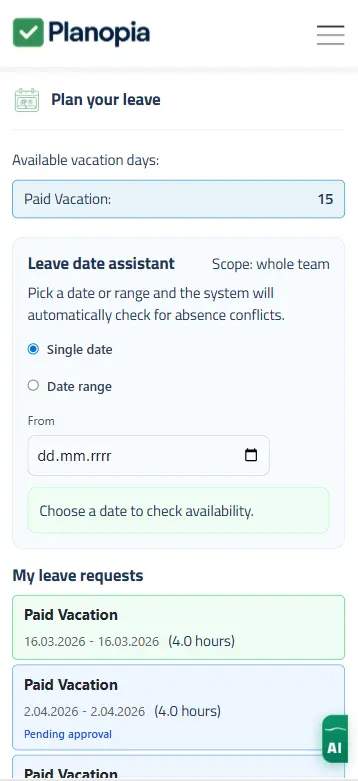
- Employees submit requests and track status (pending / approved / rejected).
- Team/HR calendar or list view without merging files manually.
- Aligned with time tracking and absences (one system of record).
- PDF/XLSX export for archive or audits.
- Notifications so approvals are not forgotten.
Overtime and working time records
Search demand often pairs leave planning with time tracking and overtime. Recording hours first makes leave planning easier. In Planopia, time tracking and leave sit in the same team account on eligible plans. Read more: online time tracking — and electronic time tracking guide.
“HR leave program” for a small business — what does it mean?
It usually means requests and a calendar, not a full ERP. You can start with the full-product trial, then stay on the free time tracking tier for up to 5 active accounts or upgrade for leave and other HR modules — per Planopia’s current model.
How Planopia fits
- 30-day full trial for up to 5 users — try leave and time tracking together.
- After the trial: free time tracking for up to 5 active accounts, or paid plans with leave, schedules, chat, and AI.
- PDF/XLSX exports where you need a file copy.
FAQ
- Do we have to drop Excel immediately?
- No — many teams migrate gradually: tidy spreadsheet first, then run leave in the app in parallel until the team adopts approvals.
- Can a PDF replace an app?
- A PDF is a snapshot. It will not update live or route approvals — use it for sharing a point-in-time view, not ongoing workflow.
- Is Planopia free?
- 30-day full trial (up to 5 users); then free time tracking for up to 5 active accounts, or paid plans with leave, schedules, chat, tasks, and AI.
Download an annual leave plan spreadsheet
The free XLSX template includes employees, leave requests, working-day formulas, annual view, and a workload summary.
Download Excel template